Embedding Picture Director Content
You can display Picture Director content on a page using shortcodes:
To ensure smooth navigation, consider creating a separate page containing the gallery shortcode (see item 2) and using its slug for the link on the home page.
[pictureDirector] – Displays the main gallery along with Picture Director menus (see the Menus section for details).
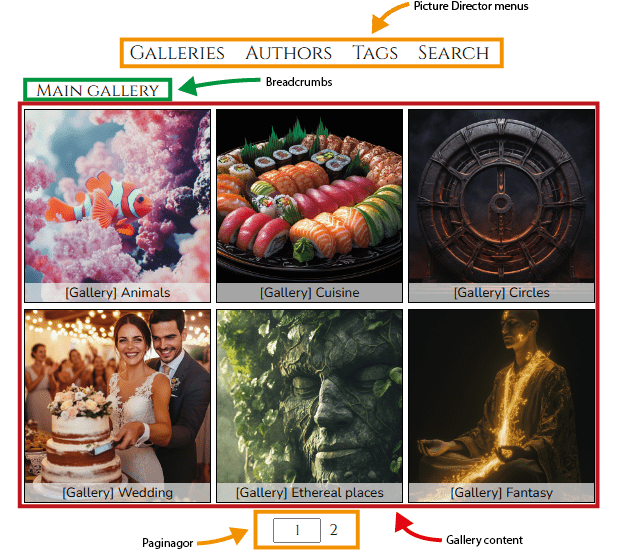
[pictureDirector gallery=ID or alias] – Displays the content of a specific gallery by ID, without menus.
Examples:
[pictureDirector gallery=5] or [pictureDirector gallery=animals]

[pictureDirector gallery=ID or alias url=page_slug link=ID or alias] – Displays a link in a form of an image (or set of images) alongside the gallery content. When a user clicks the image, they will be redirected to the page with the specified slug. See Links section for details.
Examples
[pictureDirector gallery=5 or alias url=/2024-vacation link=4]
or [pictureDirector gallery=vacation2024 or alias url=/2024-vacation link=threeThrown]

[pictureDirector author=ID or alias] shows all images of an author in the default gallery format (paginator, no menus, tiles).
Examples
[pictureDirector author=1] or [pictureDirector author=ava-lens]
[pictureDirector tag=ID or alias] shows all images of an author in the default gallery format (paginator, no menus, tiles).
Examples
[pictureDirector tag=23] or [pictureDirector tag=Architecture]