Configuration Settings
The “Config” section in the admin UI allows you to customize the default parameters of the plugin.
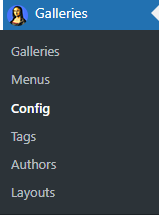
The config management space is composed of two main parts – Main and Layout configurations.
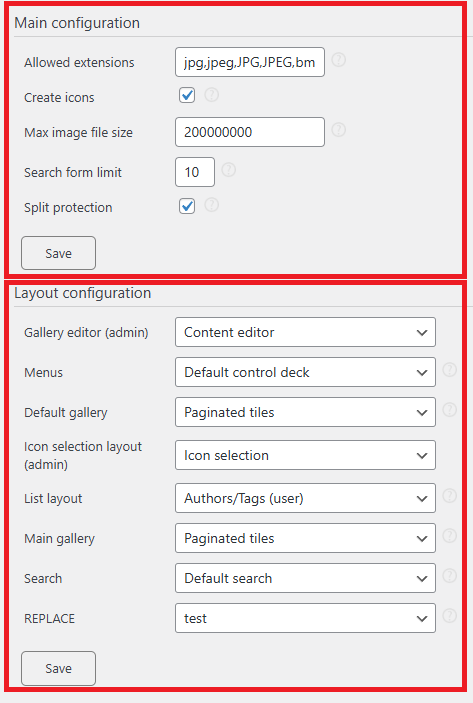
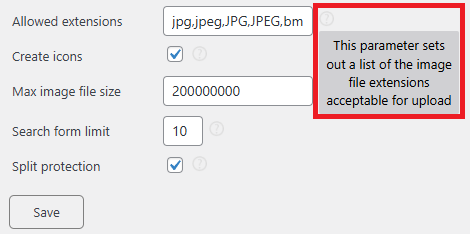
Some parameters have a question mark icon on the right. These icons contain parameter descriptions, hover the mouse pointer over the icon to see the descriptions:
Main Configuration
Contains general plugin parameters.
- Allowed extensions – A comma-separated list of accepted image file extensions. Files with unlisted extensions will be rejected during upload. (Modifying this setting is not recommended unless you are developing a plugin extension.)
- Create icons – Enables automatic creation of gallery icons:
- Image icons are generated upon upload.
- Gallery icons are created when at least one image is added to a gallery.
- Max image file size – Defines the maximum allowed file size for uploads. (May be overridden by web-server settings.)
- Search form limit – Sets the number of items displayed in dropdown search results (admin area).
- Split protection – Enables Split Protection. (See the Image split protection section for details.)
Layout Configuration
Defines layouts for built-in plugin features.
- Gallery editor (admin) – Controls the layout of the Gallery Management Space. (Modifications are not recommended.)
- Menus – Manages the menus displayed in the [pictureDirector] shortcode. (Not recommended to change.)
- Default gallery – The default layout assigned to newly created galleries, as well as images of authors or tags.
- Icon selection layout (admin) – Defines the interface for selecting gallery icons from gallery content. (Not recommended to change.)
- List layout – Specifies the layout for displaying authors and tags available via respective menus in the [pictureDirector] shortcode. (Not recommended to change.)
- Main gallery – Sets the layout for the Main Gallery.
- Search – Defines the layout of the Search menu in the [pictureDirector] shortcode. (Not recommended to change.)
These settings ensure consistency and customization while maintaining plugin functionality.