Picture Director Menu Management
Menus are a set of quick links displayed over galleries when using the [pictureDirector] shortcode. See more information on their usage in the Menus section.
Picture Director plugin default configuration supplies a set of default menus. User can quickly switch between key plugin features using these menus:
- Galleries
- Authors
- Tags
- Search
In addition to the above, the “Menus” section in the admin UI allows you to add new menus or edit existing ones, including titles of the default menus.
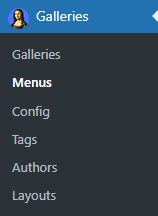
Menus section:
Menu management space lists all menus existing in the system:
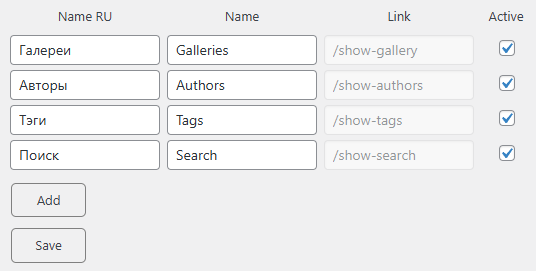
The following operations could be done on the default menus:
- Changing the menu titles.
Menus before:

Changing the menu title, click on Save button:
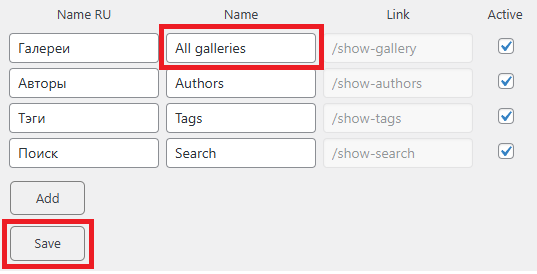
Menus after:

Although you cannot delete default menus, they can be removed from the view via deactivation. Just untick the Active checkbox and click Save:
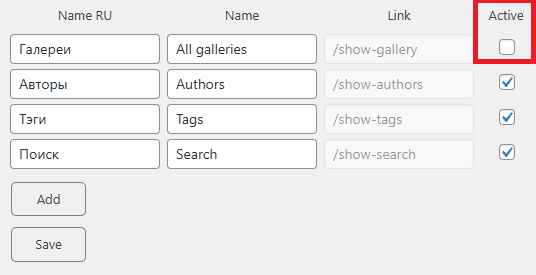
All galleries menu disappeared:

Adding a New Menu Item
You cannot edit the slugs of the default menus, however you can create your own items with editable slugs. Maker sure that a corresponding slug is available before adding a new menu item.
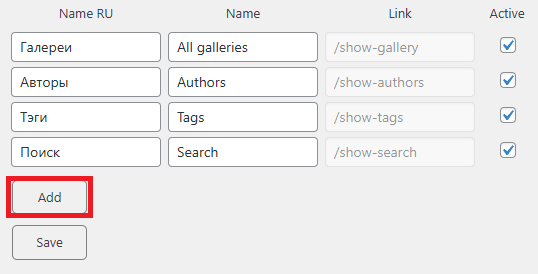
How to create a new menu:
- Click on Add button
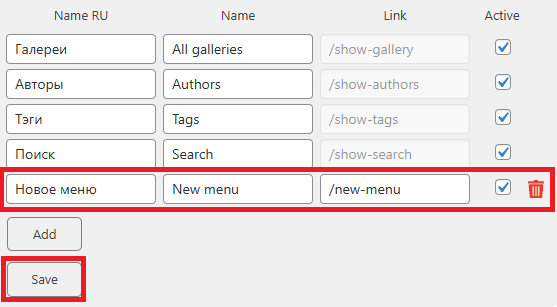
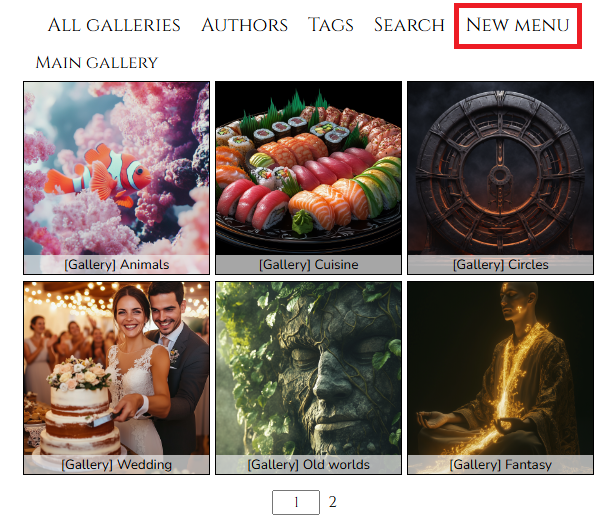
Your new menu appeared on the top:
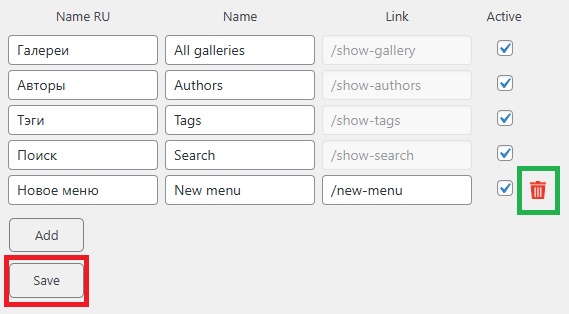
Custom menus can be deleted, use the red bin icon right of the menu item, once menu is deleted click Save:
Menu disappeared:
